

AI Enablement for GTM Teams

While most teams want to leverage AI, few have the processes or a plan to use it effectively. Our AI Readiness Program helps your GTM team get the most out of HubSpot by auditing and cleaning your data, configuring native and third-party AI tools, and equipping your people with clear processes, governance, and training.

AI graphic
Get AI Ready

Build the Foundation for AI Success

Many organizations feel pressure from leadership to adopt AI tools without having a cohesive plan in place. Without clean CRM data, proper tool configuration, and consistent processes, results fall short. Our AI Readiness Program gives your team a structured path: we audit and clean your data, configure HubSpot’s AI features and other industry-leading tools to support GTM outcomes, and establish repeatable workflows with governance and training.

Heading 1

with a request body that specifies how to map the columns of your import file to the associated CRM properties in HubSpot.... In the request JSON, define the import file details, including mapping the spreadsheet's columns to HubSpot data. Your request JSON should include the following fields:... entry for each column.

Main graphic AI
Icon 1
Data Quality & Cleanup

AI succeeds when your data is complete, consistent, and current. Gaps and duplicates weaken predictions, skew segments, and break automations. We start with a data health assessment, then run a focused audit and cleanup to standardize fields, remove duplicates, improve completeness, and define clear capture rules and UI. The result is a reliable, governed foundation for every AI process.

Heading 1

with a request body that specifies how to map the columns of your import file to the associated CRM properties in HubSpot.... In the request JSON, define the import file details, including mapping the spreadsheet's columns to HubSpot data. Your request JSON should include the following fields:... entry for each column.

Group 38379
Process & Implementation

AI creates value when it is tied to real business outcomes and practical applications. Without clear use cases, proper configuration, and guardrails, AI pilots can stall. We help you identify and prioritize high-value use cases, develop internal processes for implementation, design effective prompts, and configure HubSpot’s AI tools to help you get the proper output.

Heading 1

with a request body that specifies how to map the columns of your import file to the associated CRM properties in HubSpot.... In the request JSON, define the import file details, including mapping the spreadsheet's columns to HubSpot data. Your request JSON should include the following fields:... entry for each column.

Layer 2
Training & Enablement

AI adoption sticks when people understand why and how to use it and have proper guidance. We equip your teams with focused training, clear documentation, and practical playbooks that translate into everyday use. We also set governance that provides guardrails for tools, data handling, and review, and we support ongoing change with check-ins and refreshers so good habits last.

Heading 1

with a request body that specifies how to map the columns of your import file to the associated CRM properties in HubSpot.... In the request JSON, define the import file details, including mapping the spreadsheet's columns to HubSpot data. Your request JSON should include the following fields:... entry for each column.

AI for HubSpot

Projects That Put AI to Work in HubSpot

From Breeze agents and assistants to data quality automation, custom LLM workflow actions, and MCP integrations, we implement the building blocks that make AI useful in your daily processes. 

  • Breeze Agents & Assistants Setup
  • Data Quality Automation with AI Data Agent
  • AI Workflows with Custom LLM Actions
  • MCP Server Integration

Breeze Agents & Assistants Setup

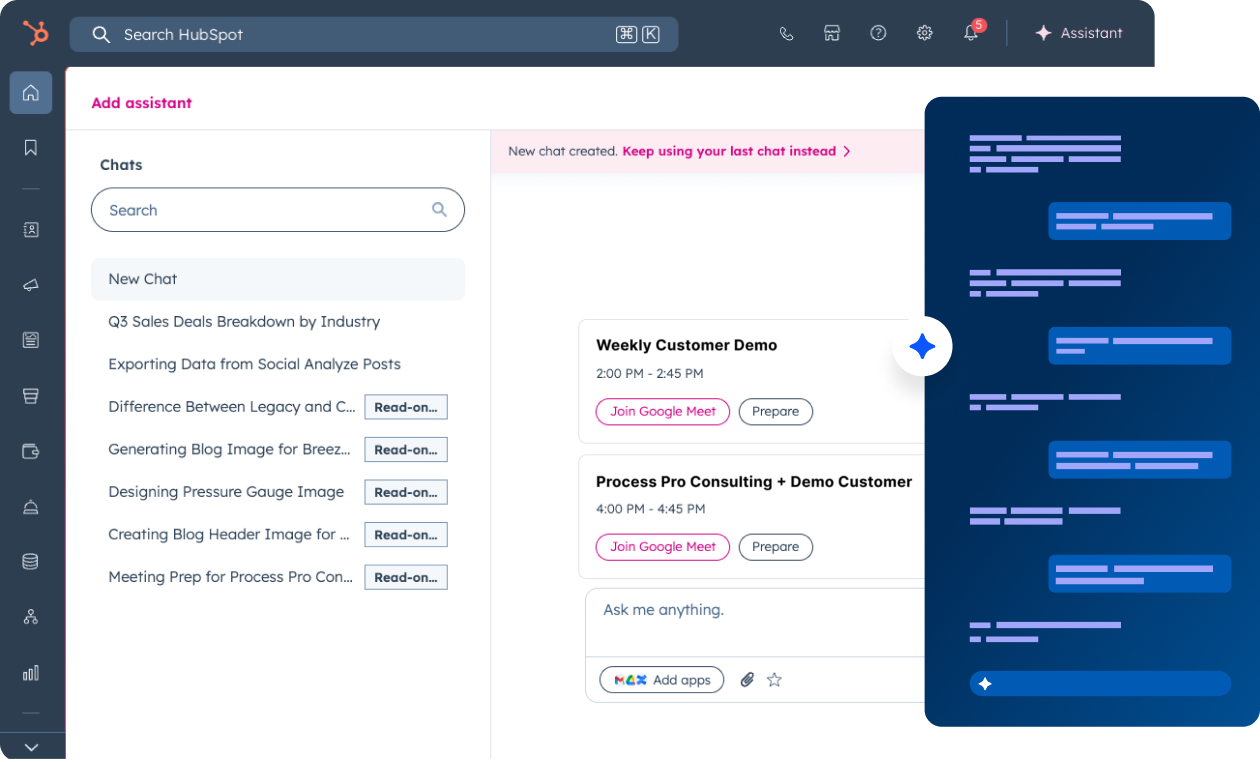
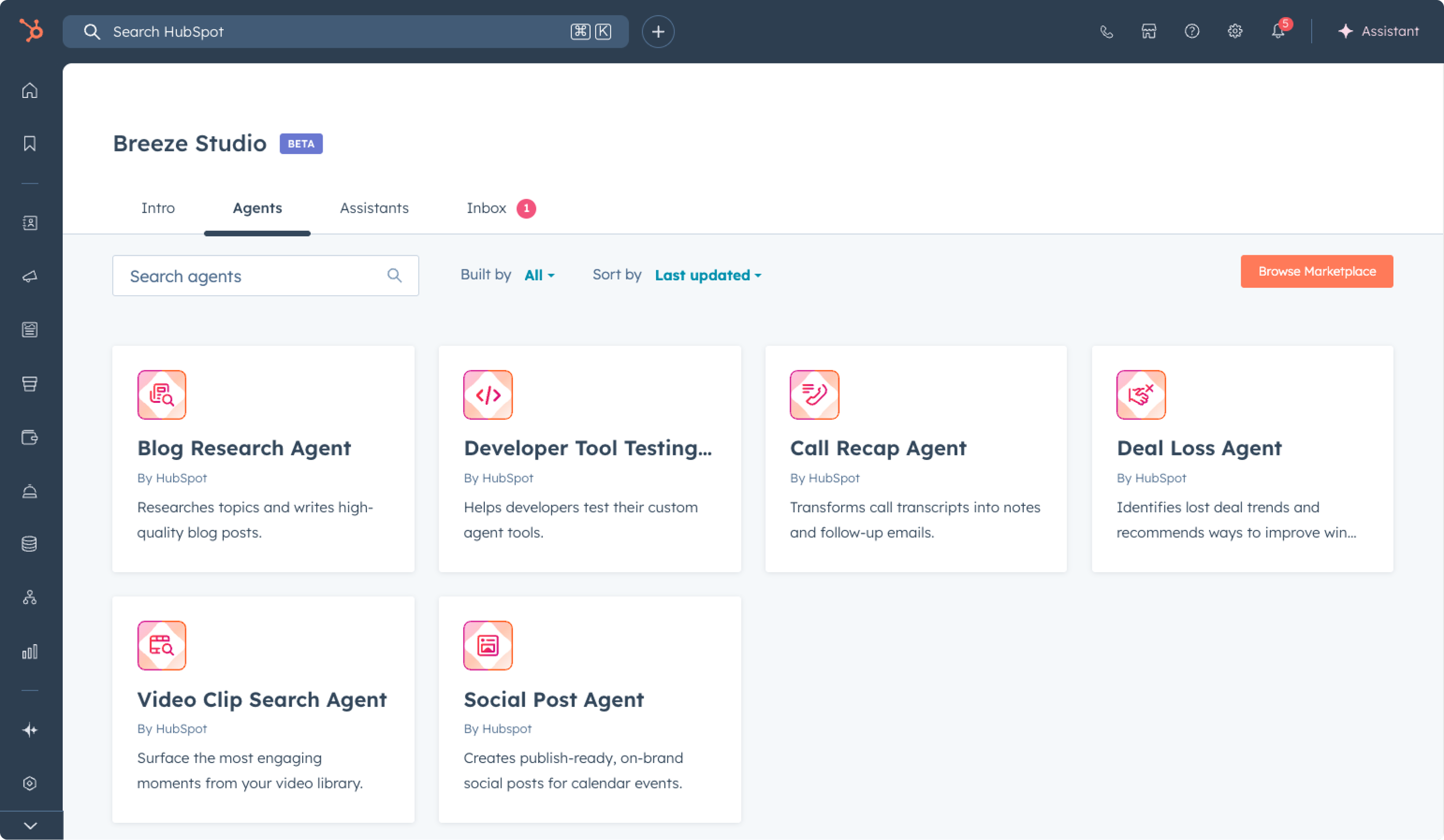
Configure Breeze AI agents and assistants for Marketing, Sales, and Service. We align prompts, guardrails, and permissions so agents can work within CRM context and augment day-to-day tasks like content development, sales follow-ups, and ticket handling.

Heading 1

with a request body that specifies how to map the columns of your import file to the associated CRM properties in HubSpot.... In the request JSON, define the import file details, including mapping the spreadsheet's columns to HubSpot data. Your request JSON should include the following fields:... entry for each column.

Project 1

Data Quality Automation with AI Data Agent

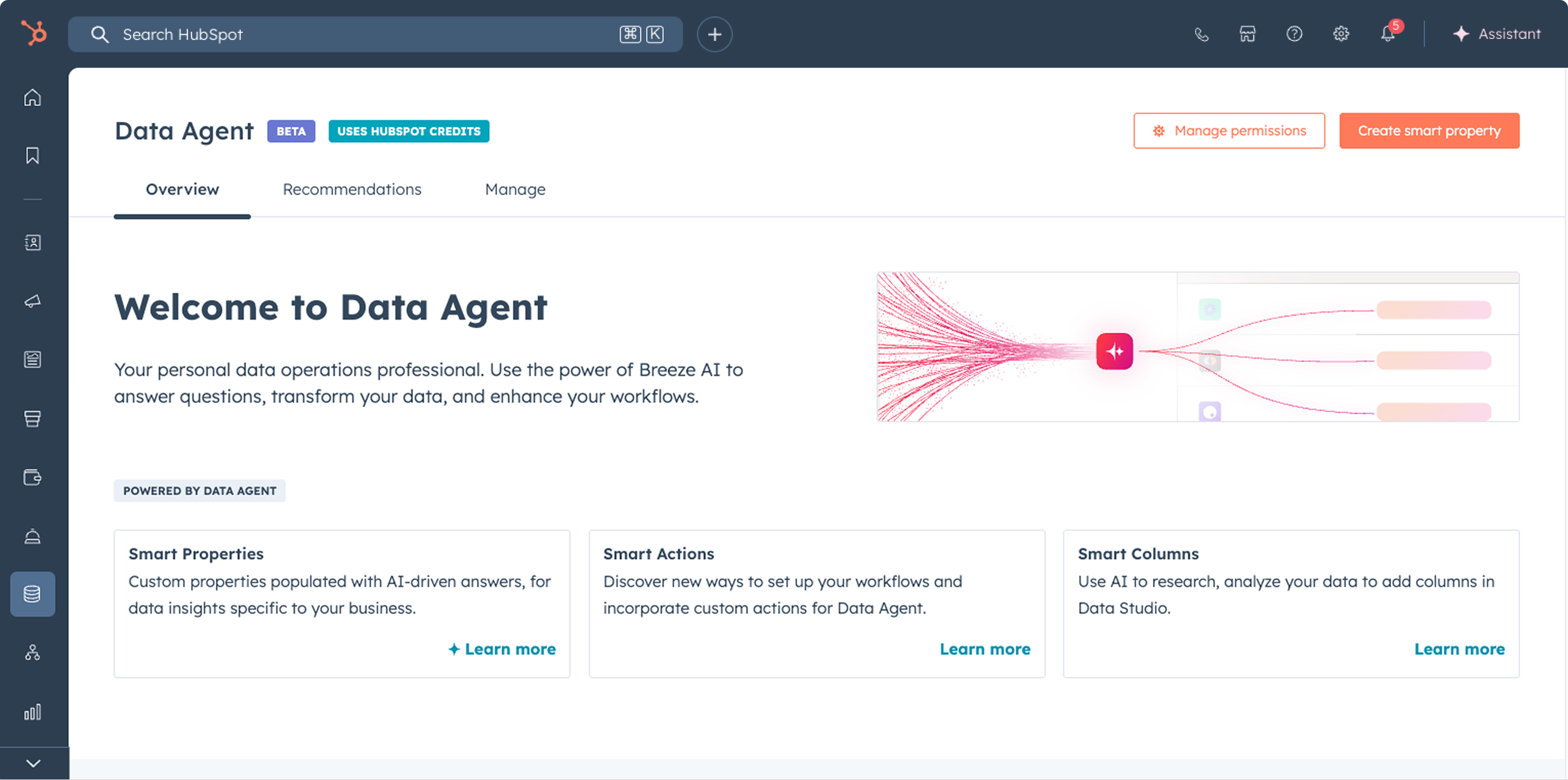
Stand up the AI Data Agent to automate data hygiene at scale. We define bulk update rules, normalization logic, and review flows so duplicates and inconsistent properties get fixed quickly and stay clean.

Heading 1

with a request body that specifies how to map the columns of your import file to the associated CRM properties in HubSpot.... In the request JSON, define the import file details, including mapping the spreadsheet's columns to HubSpot data. Your request JSON should include the following fields:... entry for each column.

Project 2

AI Workflows with Custom LLM Actions

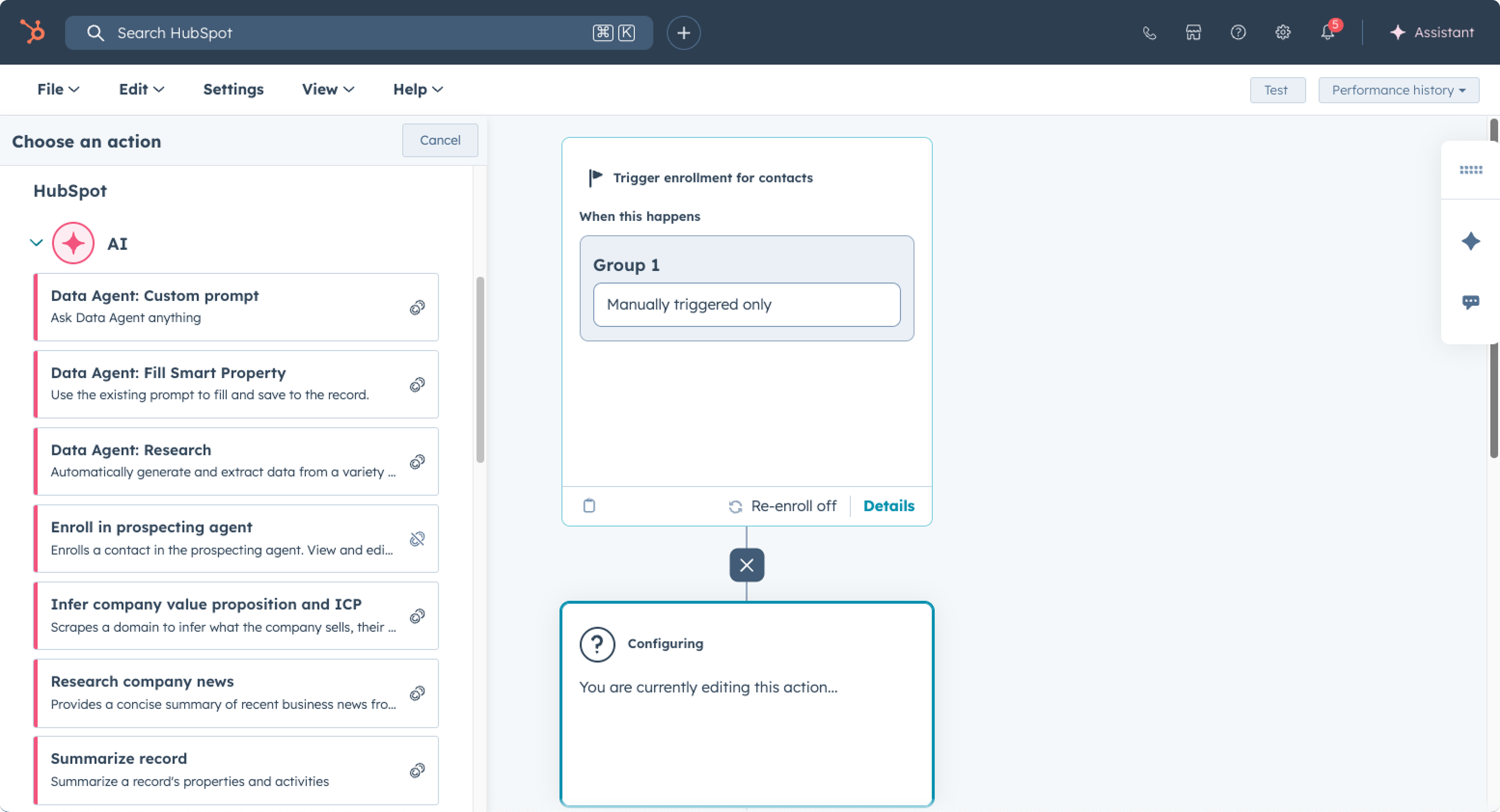
Build HubSpot workflows that call third-party LLMs like ChatGPT, Claude or Google Gemini. We create and test custom LLM workflow actions and wire them into your processes.

Heading 1

with a request body that specifies how to map the columns of your import file to the associated CRM properties in HubSpot.... In the request JSON, define the import file details, including mapping the spreadsheet's columns to HubSpot data. Your request JSON should include the following fields:... entry for each column.

Project 3

MCP Server Integration

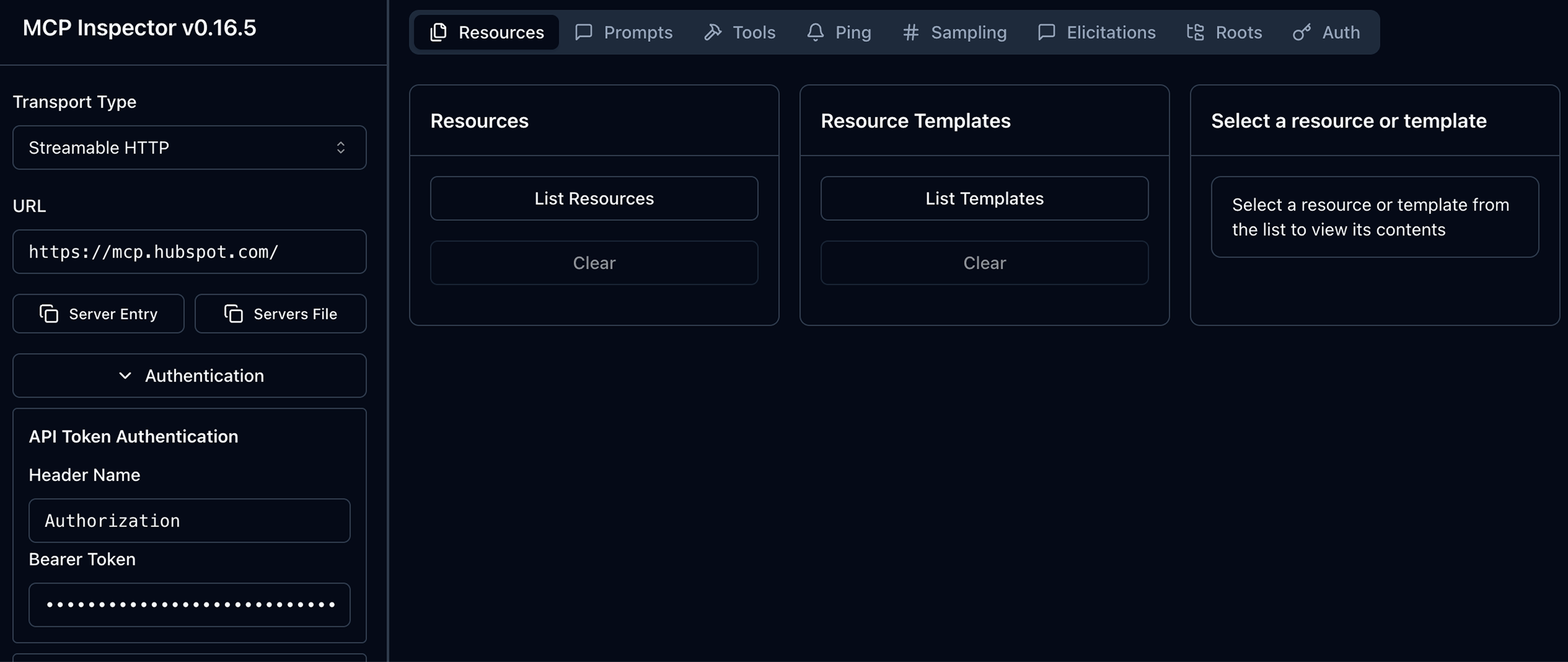
Connect HubSpot’s MCP servers so approved AI tools can securely use your CRM context. We define scopes, set up the remote or developer server, and create practical prompts to fetch records or trigger actions from your AI client.

Heading 1

with a request body that specifies how to map the columns of your import file to the associated CRM properties in HubSpot.... In the request JSON, define the import file details, including mapping the spreadsheet's columns to HubSpot data. Your request JSON should include the following fields:... entry for each column.

Project 4
How We'll Work Together

Trust the Process

Our AI Readiness Package includes a tailored AI blueprint for your business, aligning goals, strengthening data and processes, and equipping your team for lasting results.

STEP 1 AI Assessment
  • We begin with a structured AI Readiness Assessment to align on business outcomes and baseline your current state across data, processes, and use of AI tools. You receive a thorough outline of readiness, prioritized opportunities, and recommended quick wins so the plan is clear and actionable. Your blueprint will guide the next steps in setting up and adopting AI for your team.

Heading 1

with a request body that specifies how to map the columns of your import file to the associated CRM properties in HubSpot.... In the request JSON, define the import file details, including mapping the spreadsheet's columns to HubSpot data. Your request JSON should include the following fields:... entry for each column.

STEP 2 Quick Wins
  • Next, we activate low-risk improvements that create visible progress and build confidence with AI tools. Typical examples include native HubSpot feature configuration fixes, simple automations, and assistant prompts that reduce manual work without changing core workflows.

Heading 1

with a request body that specifies how to map the columns of your import file to the associated CRM properties in HubSpot.... In the request JSON, define the import file details, including mapping the spreadsheet's columns to HubSpot data. Your request JSON should include the following fields:... entry for each column.

STEP 3 Process Optimization
  • Focusing on the high-priority areas identified in the Assessment, we map your GTM processes and refine them to ensure consistency across related users and data. This ensures that the AI tools reinforce core workflows and measurable outcomes. This includes defining use cases, identifying success metrics, clarifying handoffs, and documenting prompt patterns and decision points that connect human actions to AI outputs.

Heading 1

with a request body that specifies how to map the columns of your import file to the associated CRM properties in HubSpot.... In the request JSON, define the import file details, including mapping the spreadsheet's columns to HubSpot data. Your request JSON should include the following fields:... entry for each column.

STEP 4 Data Readiness
  • We raise the quality of the inputs that AI relies on. This includes a focused audit and cleanup, stronger property definitions, deduplication, enrichment plans, required-field rules, and record layouts that make key data easy to capture and maintain.

Heading 1

with a request body that specifies how to map the columns of your import file to the associated CRM properties in HubSpot.... In the request JSON, define the import file details, including mapping the spreadsheet's columns to HubSpot data. Your request JSON should include the following fields:... entry for each column.

STEP 5 Custom AI Development
  • When you are ready, we configure and extend HubSpot AI features to match your use cases. This can include assistants, workflow LLM actions, semantic segmentation from notes and transcripts, and selected third-party model integrations through approved connectors.

Heading 1

with a request body that specifies how to map the columns of your import file to the associated CRM properties in HubSpot.... In the request JSON, define the import file details, including mapping the spreadsheet's columns to HubSpot data. Your request JSON should include the following fields:... entry for each column.

STEP 6 Training & Enablement
  • Your team learns how to use the tools with confidence and good judgment. We provide role-based training, practical prompt guidance, lightweight SOPs and playbooks, and governance basics that set clear boundaries and reduce risk.

Heading 1

with a request body that specifies how to map the columns of your import file to the associated CRM properties in HubSpot.... In the request JSON, define the import file details, including mapping the spreadsheet's columns to HubSpot data. Your request JSON should include the following fields:... entry for each column.

STEP 7 Ongoing Support
  • We help you sustain momentum with periodic reviews, pattern improvements, and a prioritized backlog of next use cases. You get a simple operating rhythm for refinement, adoption tracking, and guardrails that keep quality high as your use expands.

Heading 1

with a request body that specifies how to map the columns of your import file to the associated CRM properties in HubSpot.... In the request JSON, define the import file details, including mapping the spreadsheet's columns to HubSpot data. Your request JSON should include the following fields:... entry for each column.

FAQs

What does “AI Readiness” mean for HubSpot users?

AI Readiness means your CRM data, processes, and people are prepared so HubSpot and connected AI tools can produce reliable, repeatable results. It includes data quality, use-case-driven configuration, and ongoing enablement. 

Readiness is not all or nothing. You can still get meaningful quick wins even if your foundation is not perfect. Most organizations start by improving a few key areas, then build readiness over time. No team begins fully ready, and the goal is consistent progress, not perfection.

Heading 1

with a request body that specifies how to map the columns of your import file to the associated CRM properties in HubSpot.... In the request JSON, define the import file details, including mapping the spreadsheet's columns to HubSpot data. Your request JSON should include the following fields:... entry for each column.

Which AI tools do you configure?

We configure all HubSpot-native AI tools, including Breeze Assistants and Agents, Smart Properties, AI workflow actions, custom LLM actions, and MCP Server connections. We also work with leading third-party AI tools such as ChatGPT, Claude, and Gemini. As AI technologists, we stay current with the evolving landscape. If there is a specific tool your team wants to use, we can include it in your strategy and make sure it works smoothly within your processes.

Heading 1

with a request body that specifies how to map the columns of your import file to the associated CRM properties in HubSpot.... In the request JSON, define the import file details, including mapping the spreadsheet's columns to HubSpot data. Your request JSON should include the following fields:... entry for each column.

How do you approach data quality for AI?

We audit CRM records, clean duplicates, standardize values, set required-field rules, and optimize record layouts. The goal is accurate capture and trustworthy inputs for every AI workflow.

Heading 1

with a request body that specifies how to map the columns of your import file to the associated CRM properties in HubSpot.... In the request JSON, define the import file details, including mapping the spreadsheet's columns to HubSpot data. Your request JSON should include the following fields:... entry for each column.

Can you integrate third-party LLMs with HubSpot?

Yes. We implement custom LLM workflow actions and, when needed, connect approved third-party models or tools via MCP to enable secure, cross-app actions that use CRM context.

Heading 1

with a request body that specifies how to map the columns of your import file to the associated CRM properties in HubSpot.... In the request JSON, define the import file details, including mapping the spreadsheet's columns to HubSpot data. Your request JSON should include the following fields:... entry for each column.

How do you prioritize AI use cases?

We identify high-impact, low-risk opportunities by team, confirm data prerequisites, define success metrics, pilot with a small group, and scale once outcomes are validated.

Heading 1

with a request body that specifies how to map the columns of your import file to the associated CRM properties in HubSpot.... In the request JSON, define the import file details, including mapping the spreadsheet's columns to HubSpot data. Your request JSON should include the following fields:... entry for each column.

What governance and safety practices do you include?

We help define approved tools and models, data-handling rules, review and approval steps, audit logging, permission checks, and credit limits to control usage.

Heading 1

with a request body that specifies how to map the columns of your import file to the associated CRM properties in HubSpot.... In the request JSON, define the import file details, including mapping the spreadsheet's columns to HubSpot data. Your request JSON should include the following fields:... entry for each column.

Do you help set HubSpot credit limits and permissions?

Yes. We configure user roles and permissions to surface necessary data with guardrails and set sensible credit limits for features like Smart Properties, Data Enrichment, and Agents.

Heading 1

with a request body that specifies how to map the columns of your import file to the associated CRM properties in HubSpot.... In the request JSON, define the import file details, including mapping the spreadsheet's columns to HubSpot data. Your request JSON should include the following fields:... entry for each column.

What makes Process Pro different for AI services?

Deep RevOps and integration background plus structured data and process expertise, so AI features are grounded in clean inputs and real workflows rather than isolated pilots.

Heading 1

with a request body that specifies how to map the columns of your import file to the associated CRM properties in HubSpot.... In the request JSON, define the import file details, including mapping the spreadsheet's columns to HubSpot data. Your request JSON should include the following fields:... entry for each column.

How do we get started?

Book an AI Readiness Assessment. You’ll get a clear snapshot of your current state in HubSpot, prioritized opportunities, and a roadmap to implement the most valuable use cases.

Heading 1

with a request body that specifies how to map the columns of your import file to the associated CRM properties in HubSpot.... In the request JSON, define the import file details, including mapping the spreadsheet's columns to HubSpot data. Your request JSON should include the following fields:... entry for each column.

Lean on the Pros

Let's turn your HubSpot goals into a reality. Book a consultation so we can learn more about where you are in your HubSpot journey and get you started on a success plan.

Heading 1

with a request body that specifies how to map the columns of your import file to the associated CRM properties in HubSpot.... In the request JSON, define the import file details, including mapping the spreadsheet's columns to HubSpot data. Your request JSON should include the following fields:... entry for each column.