From the March 10, 2026, edition of How Teams Work
Within the first 15 to 30 minutes inside a new client’s HubSpot portal, I can tell if it’s been set up correctly or not.
Not because I’m hunting for one giant mistake. Most portals don’t break all at once. It’s usually a series of small decisions that compound over time.
- The "Notification Nightmare" - You tried to ensure no lead goes unnoticed by alerting everyone immediately, which eventually leads to notification fatigue.
- The "Property Frankenstein" Sync - You tried to keep two properties in sync (e.g., syncing a Company property down to all associated Contacts), and it starts overwriting data.
- The "Temporary" Lead Router - You tried routing leads to a specific person while the lead architect was on vacation or during a two-week campaign. For some reason, it is still running, along with five other “temporary” workflows.
What I look for are structural signals. The small patterns that tell us whether or not a CRM has been operationalized, meaning it’s been intentionally designed to support how teams actually work.
When that alignment breaks down, teams start questioning the system itself.
-
- You see a deal updated, and three seconds later, it flips back to an incorrect status and assigns new tasks.
- You look at your lead source property, and it is a drop-down desert with 45+ options, including duplicates.
- Your team’s notification bell in HubSpot shows 99+ alerts at all times, and notifications are effectively muted by users.
- Team members receive leads for territories they do not cover.
But in most cases, the root issue isn’t the platform. It’s that the CRM no longer reflects the processes the business actually runs on.
These are the eight signs I see most often when HubSpot CRM isn’t set up correctly.
1. You can’t answer basic revenue questions
“Are we going to hit projected forecast this month?”

The question (a common one) starts out innocent enough, but it suggests a bigger disconnect. The first sign is almost always reporting-related, but the real issue goes deeper than dashboards.
Sales leadership asks for a forecast or wants to understand how the pipeline is trending. They want to know which sources generate the highest-quality leads or how quickly deals move through the funnel. These are fundamental revenue questions, but the answers aren’t easy to produce with the current setup.
Deal stages may technically be filled in, but the dates, amounts, or probabilities aren’t reliable. Attribution is unclear. Reports exist, but the numbers raise more questions than they answer.
When that happens, teams start working around the system.
Data gets exported. Reports get rebuilt manually. Sometimes teams even revert to spreadsheets just to validate what the CRM is showing.
When a CRM can’t answer basic revenue questions reliably, it hasn’t been operationalized.
2. There are multiple definitions of the same thing
Ask three people how to pull a customer list, and you’ll get three different answers.
One person filters by lifecycle stage.
Another uses a close date field.
Someone else relies on a “customer status” property that exists because the lifecycle stage “wasn’t accurate.”
The marketing team reviews lists manually before sending because they don’t trust the filters.
The sales team has its own definition of “qualified,” and that definition lives in four places because lead score, forms, integrations, and manual updates all set it differently.
If definitions aren’t unified, reporting will never stabilize. You can’t fix that with more customization. You fix it by deciding what things mean, and then making the system enforce those decisions consistently.
3. Too many people can change the system
“Whenever I log in and see that there are 18 super admins in HubSpot, I know right away what the problem is.”
Andrew Millet, my co-founder and partner, shared this recently on a call with our team. It was meant to be a funny anecdote, but it’s actually one of the clearest signals we see.
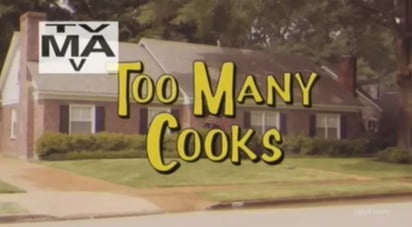
When there are too many super admins in the system, dozens of users can create properties, edit pipelines, publish workflows, or overwrite reports.
Automations fire unexpectedly because someone turned something on without understanding what it touches.
A report a leader relies on changes overnight because someone edited it for their use case.
When everyone can build, no one owns architecture.
A CRM needs governance. Without clear ownership over how the system is structured and maintained, it quickly becomes a shared junk drawer where every new request turns into another workaround.
4. Your reps are the integration layer
If your team is acting as the bridge between systems, your CRM isn’t set up correctly.
A deal closes, and someone manually emails finance to trigger invoicing.
Billing information gets re-entered in a separate tool because there’s no integration.
Support conversations live in a separate platform, and sales can’t see them in HubSpot.
Teams bounce between five systems just to answer a simple question about a customer’s status.
When the CRM is disconnected from key systems, the business compensates by building manual bridges. That creates delays, errors, and a constant dependency on individuals to keep things moving.

5. You still rely on spreadsheets “just to double check”
In a healthy setup, spreadsheets can be used occasionally for analysis, with the majority of reporting existing in the system.
In a broken setup, spreadsheets become the source of truth. The CRM is where data goes in, but the spreadsheet is where decisions get made. People export lists, sort manually, reconcile inconsistencies, and rebuild reporting outside the system because that’s the only way they trust the numbers.
Once teams stop trusting the CRM, they recreate it outside the CRM. And the more they do that, the harder it becomes to rebuild trust inside the system.
6. Your automation feels fragile
You can feel it when automation has been built without guardrails.
Workflows exist, but they are turned on and off casually. Automation gets added reactively, one use case at a time, with little documentation and no consideration for how it affects other teams.
Over time, these workflows begin overlapping. They override data or trigger changes in ways no one intended. I like to call this “workflow soup.” It is what happens when too many automations start interacting with each other without a clear design or ownership.
Duplicate properties get created because one workflow needed a field, and no one wanted to touch the existing structure. Lifecycle stages and handoffs happen inconsistently because nothing enforces when and how those transitions occur.
Automation without governance creates instability. Instead of saving time, it creates anxiety. Teams become afraid to touch anything because they are not sure what will break.
7. You know what needs to be fixed, but it never gets done
This is one of the most common realities we hear.
The RevOps leader knows the system needs cleanup. The team knows definitions are inconsistent. Everyone knows there are redundant fields and outdated workflows. But it keeps getting pushed down the list because there’s always a more urgent request, and there’s rarely bandwidth to address structural issues.
Operational debt compounds quietly.
The system doesn’t crash. It just drifts further away from how the business actually works until the gap becomes painful enough to force a rebuild.

8. You blame the tool
This one is the synthesis sign.
When the symptoms pile up, the conclusion is often, “HubSpot doesn’t work for us.”
But if you trace the issues back, the root cause usually isn’t HubSpot. Instead, there are:
Most CRM problems are process problems wearing a tech mask.
When the tool gets blamed, teams often jump to migration or heavy customization. In reality, what’s needed is usually operational clarity, and then a system design that reflects it.
Any of these sound familiar?
None of these signs are accusations. They’re signals.
Most portals drift into this state as teams grow, priorities shift, and quick fixes stack up. HubSpot makes it easy to get started quickly, which is a good thing. But there’s a big difference between getting onboarded and getting implemented.
Onboarded means the portal is live and people can use it.
Implemented means the CRM reflects real definitions, real ownership, and real governance, so the system stays reliable as the business scales.
Is your portal implemented? That’s what we look for first.
We look for structure, shared definitions, clear ownership, and the guardrails that keep the system consistent over time. That’s how you know whether your HubSpot CRM is actually supporting growth, or just collecting activity.
Want to get the "How Teams Work" newsletter sent to your inbox? Subscribe Now.







![[Webinar] HubSpot for SaaS: What Mattered (and What Didn’t) at Unbound 2026](https://www.processproconsulting.com/hubfs/hubspot_for_saas_webinar_1024-large.jpg)