HubSpot just wrapped its very first UNBOUND 2026 conference in Boston. For the past fifteen years, the conference was known as INBOUND. When they first announced the name change back in April 2026, it made waves in the HubSpot community. While the change seemed superficial at first, it was not just a rebrand for its own sake.
HubSpot opened its Fall Spotlight keynote with attendees describing what the new name meant to them: doing more of what they were actually capable of, moving past old playbooks, not feeling boxed in by how things used to work. HubSpot CEO Yamini Rangan picked up that same thread in her own remarks, tying the new name to how much growth itself has changed over the past few years: new channels, new playbooks, new technology, and making the case that a name built around one marketing methodology no longer matched where teams need to be.
Whatever you make of that reasoning, it set up the thread that ran through the rest of the conference. In the age of AI, real growth depends on real, specific business context, and nearly everything HubSpot announced this week was built to reinforce that idea.
This Year's Theme: Context
HubSpot's Fall Spotlight started by highlighting a survey of 6,000 customers and prospects, and the findings are worth sitting with. While ninety percent of the companies surveyed are already using AI, only six percent report seeing transformational results from it. That six percent is four times more likely to hit its revenue targets and three times more likely to hit its efficiency targets than everyone else.
That gap tracks with what a lot of teams are feeling right now. Plenty of people who adopted AI over the last year expected it to lighten their workload. Instead, a lot of them report the opposite: more tools to manage, more output to review, more pressure to keep up, without a clear sense that any of it is actually working.
Here's the finding underneath all of it, and it's the argument that shapes almost everything else at the conference. The most common AI use cases right now, things like drafting content, writing emails, and prepping for meetings, are also the least impactful ones for the business. The use cases that lead to real results look completely different: analyzing campaigns, prioritizing pipeline, looking for patterns in customer feedback. The real takeaway here is that none of it can be done well without real, specific contextual information about the business running it. Generic context get generic results. Specific context is what drives impactful outcomes.
HubSpot’s CTO Dharmesh Shah made the same case from a different angle. Whatever AI model you're using today will be replaced by a better one in a matter of months. But the business context you've built up doesn't reset when that happens. It carries over, and it becomes more valuable every time the model sitting on top of it gets smarter. The model isn't what separates that six percent from everyone else. The context you feed it is.
Context Home
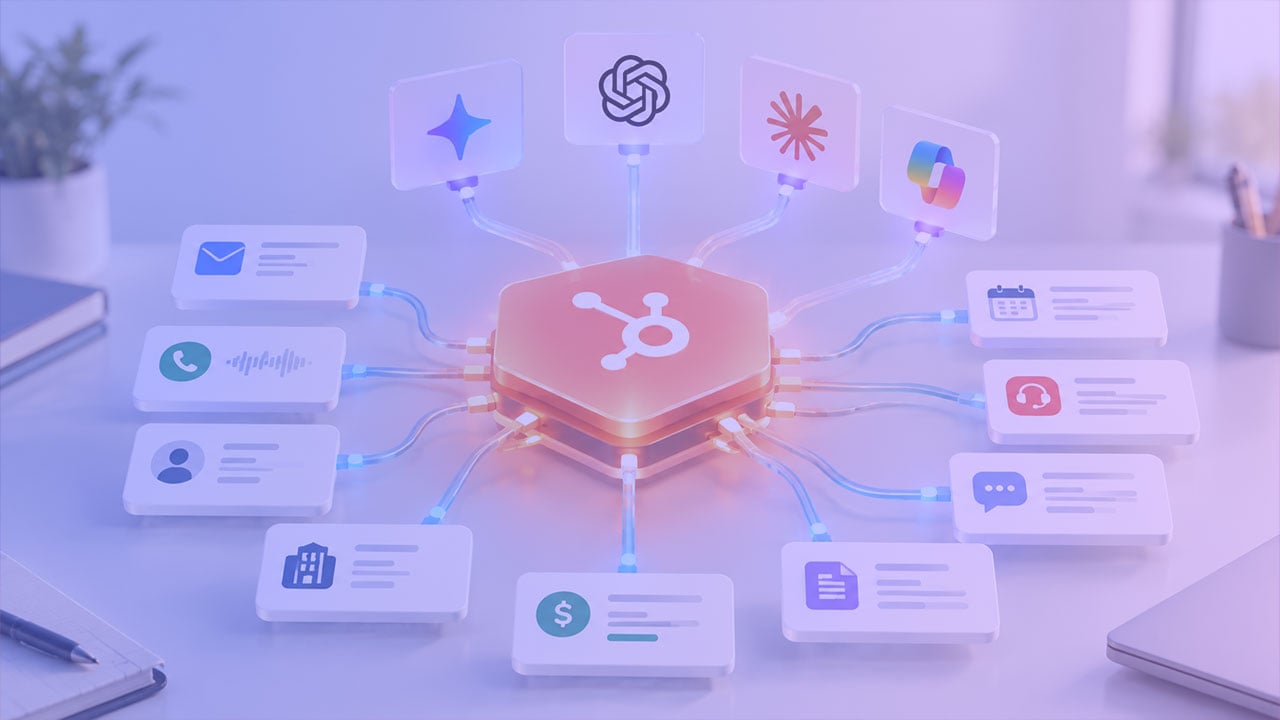
An AI tool needs to know important context like a business's ICP, products and services, brand voice, and competitive positioning, and none of that tends to live in any one place. It's scattered across sales decks, outdated docs, and thoughts that only live in an executive's head. HubSpot's answer to this is Context Home: a single, structured place to put that information so every AI tool on the platform can access it.
Context Home isn't an entirely new feature. HubSpot already had a version of this called AI Data Sources, buried a few clicks deep in the Settings menu. It's gotten a significant overhaul: its own spot in the main navigation, new and fleshed-out context categories, and a new completeness score that shows how much is actually filled in.
HubSpot also added the ability to upload files or write free-form notes, allowing you to add important documents like a brand guide, a sales playbook, or internal process documentation. This offers far more flexibility, eliminating the need to fit context into standardized form fields.
Breeze Assistant and Agent Hub
Breeze Assistant and Agent Hub were two of the other biggest announcements from the conference. Breeze Assistant in particular got its most substantial update since it was first unveiled.
The newly rebuilt Breeze Assistant can now take action inside your portal instead of just answering questions. Describe what needs to get done, and it pulls in the right tools to build it: a real, shareable document or artifact instead of a chat reply that gets copied somewhere else, a custom app or automation inside HubSpot that used to require a developer, or a new agent through Agent Builder, described in plain language and configured automatically. This brings Breeze Assistant more in line with other LLMs that you may be using, like Claude, ChatGPT, or Gemini.
With more people able to build within HubSpot, it's important to have visibility into what's actually running. Agent Hub is that oversight layer: one place to see every agent in a portal, HubSpot's own and custom-built alike, and to activate, monitor, or shut them off.
The Rest of the Agent Lineup
While they didn't get a ton of screen time during the keynotes, the remaining agent lineup is worth looking at, since most of the existing agents saw meaningful updates, along with some new additions.
On the marketing side, three agents now work together inside Marketing Studio:
- Campaign Agent turns a stated goal, an uploaded document, or a flagged content gap into a full campaign plan grounded in the brand's actual identity and past performance.
- Content Agent got a genuine rebuild of its own. It now researches brand voice and competitive context before writing, then grades and revises its own draft.
- Nurture Agent, still in public beta, rewrites an automated nurture email individually for each recipient at send time, subject line, preview text, body, and call to action, based on that contact's history rather than a shared template.
Several key agents on the sales side also saw significant updates:
- Prospecting Agent picked up the ability for reps to source contacts on demand rather than waiting on recommendations, learns from a rep's own edits over time, and now scores companies on fit as well as intent.
- Deal Progression now works off emails and call transcripts in addition to post-meeting updates, keeping a deal's record current in the gap between conversations.
On the Service Hub side, Customer Agent picked up more individual updates than any other single product, with more than a dozen distinct changes:
- It can now be handed a conversation mid-thread by a human rep and hand conversations back the other way.
- Its tone can be tailored per customer segment.
- It can draft knowledge base entries from resolved tickets.
- Teams can batch-test it against real past questions before it goes live.
Other Notable Announcements
Marketing Studio itself got a full rebuild alongside the agents that live inside it, consolidating campaign planning, reporting, and team collaboration into one workspace after real complaints about the previous version's fragmented interface and incomplete reporting.
HubSpot Work, a new AI-connected operations workspace, lets a team describe the work it needs in plain language and get project tables, documents, and light automation built against actual CRM data, things like automatically creating an onboarding tracker when a deal closes, or a single queue for deal-desk approval requests instead of a scattered mix of tools.
And closing out the keynote, HubSpot announced a partnership with OpenAI, including becoming the first CRM to integrate directly with ChatGPT Ads, along with a bundled offer combining HubSpot and ChatGPT access.
Where This Leaves You
The signal worth paying attention to is that context is becoming the center of gravity for this entire platform. Most businesses are still re-explaining themselves to AI tools every time, a pasted-in brief here, a static reference doc there, instead of maintaining one living layer that AI can draw from automatically. That's the actual foundation problem, and it's the same one worth solving before adding another agent to the mix. HubSpot has also said that by the end of 2026, this same context layer becomes accessible outside HubSpot entirely, through an API, which suggests context, not any single platform, is what's meant to last.
There are two easy ways to get this wrong. One is to dismiss all of it as HubSpot marketing and keep running things the way you always have. The other is to switch on every new agent the day it ships without checking whether the process behind it can actually support one. Neither works particularly well. The teams that get real value here are the ones asking a more deliberate question first: is our process, and the context behind it, actually ready for an agent to run it, and if not, what's the smallest thing worth fixing before flipping the switch?
That's the lens we'd bring to this week specifically. Before piloting Prospecting Agent, Customer Agent, or anything else on this list, it's worth an honest look at whether your team can actually articulate its ICP, its qualification criteria, its handoff rules, its nurture logic, clearly enough for an agent to run it well. That diagnostic work matters more this year than any past one, since nearly the entire platform is now betting on it.
One practical way to test that: write the job description you'd hand a new employee for the task you're about to give an agent instead. Dharmesh Shah suggested this same exercise in his own session, and it's a useful gut check. If you can't write that job description clearly, the agent isn't going to be able to do the job well either, and that gap is worth closing before anything goes live.
Need help figuring out where to start with this fall's release, or whether your portal is actually ready for it? Contact the Pros.




![[Webinar] HubSpot for SaaS: What Mattered (and What Didn’t) at Unbound 2026](https://www.processproconsulting.com/hubfs/hubspot_for_saas_webinar_1024-large.jpg)